Welcome to the StencilWorks Docs
StencilWorks – High-Fidelity Post-Processing for Depth & Stencil Buffers in UE5
Eliminate jitter, upscale quality, and unlock powerful new effects from your depth and stencil data.
StencilWorks is a specialized Unreal Engine 5 plugin designed to stabilize and enhance SceneDepth, CustomDepth, and CustomStencil buffers when used in post-processing after TSR (Temporal Super Resolution). Without correction, these buffers suffer from low-resolution artifacts, temporal instability, and flickering — degrading the quality of outlines, depth-based fog, masking effects, and more. StencilWorks solves this with intelligent temporal accumulation, reprojection, and adaptive upscaling tailored for high-performance post effects.
In addition to stabilization, StencilWorks introduces a novel Closest Stencil Distance Field Generator. This system provides per-pixel access to:
- The closest point on the stencil mask (for each of the 8 stencil bits),
- The signed distance to the nearest edge (positive outside, negative inside),
- And the directional vector pointing toward the closest edge.
These powerful tools enable a range of new visual effects:
- Soft outlines that adapt to camera movement and resolution,
- Distance-based glows or fades around masked objects,
- Fluid-aware edge detection and interaction zones,
- Or any effect that benefits from smooth, screen-space spatial awareness of stencil-defined objects.
Whether you’re building stylized visuals, gameplay-driven post effects, or cinematic-quality rendering tools, StencilWorks provides the temporal and spatial fidelity necessary for modern pipelines in Unreal Engine 5.
Subsections of
Basic Setup
Setup of StencilWorks is incredibly simple!
-
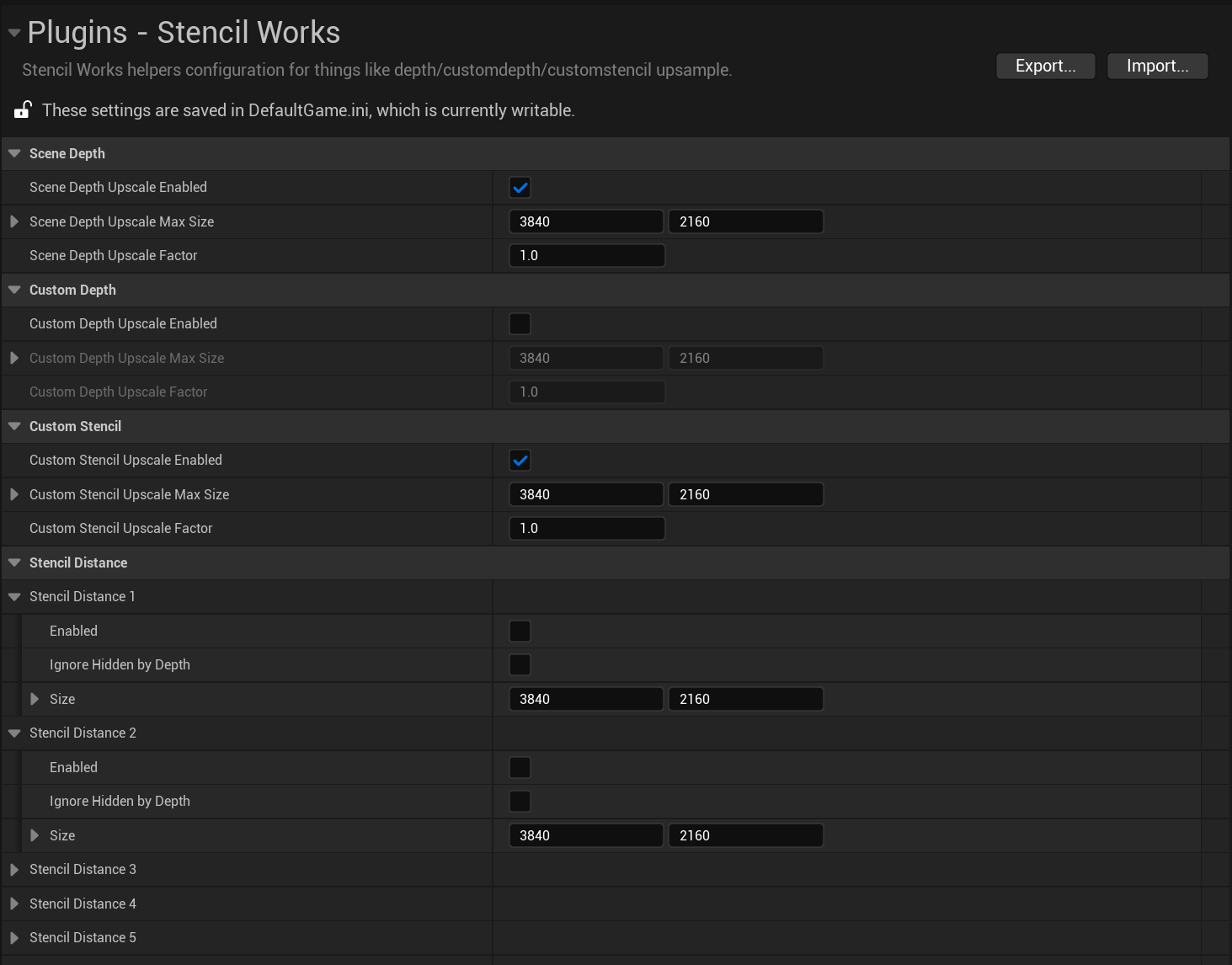
Simply open the project settings and find the StencilWorks Category.
-
Configure the settings for each buffer you want upscaled.
Enabled: Turn on/off upscaling of the bufferMax Size: controls the maximum size the buffer is able to upscale to, and is the backing texture size.Upscale Factor: controls the percentage of the SecondaryView size you want to upscale too. 1.0 matches TSRs output size up to the max size.Ignore Hidden by Depth: Is CustomStencil only, but it controls whether other objects in scene depth block the stencil bits so it only looks at what’s visible.
-
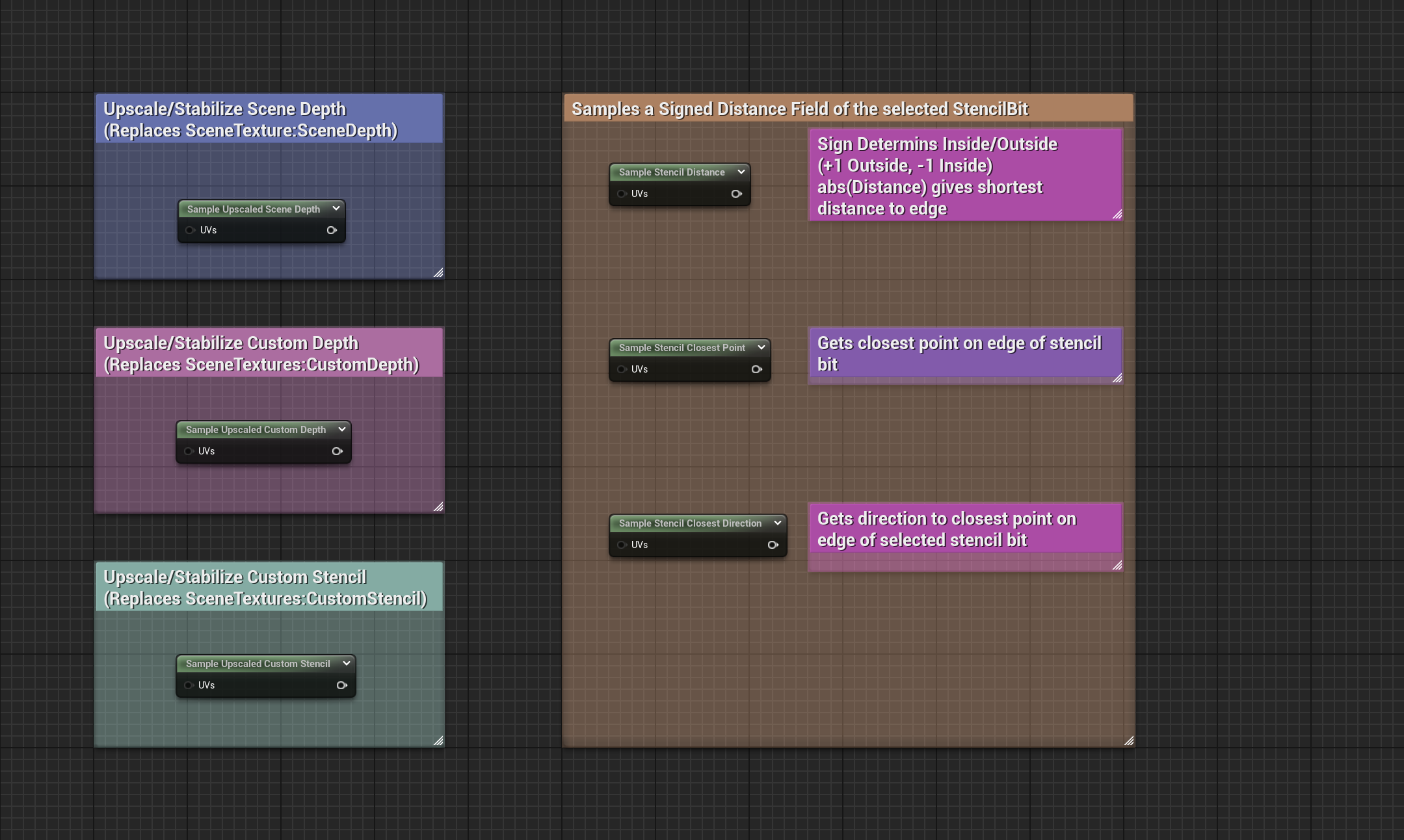
Use the Upscaled Sample Nodes to sample SceneDepth/CustomDepth/CustomStencil as direct replacements to engine provided nodes. For Custom Stencil you can use the Distance,ClosestPoint, or Direction sample nodes all of which can be seen below.
-
There are basic examples of the usage of the buffer upscaling as well as a basic usage of stencil distance in the plugin content. These are all post process materials and can simply be dropped on a post process volume like other post process materials.
StencilWorksDemo_SceneDepth: Shows a debug view like SceneDepth debug visualizer using the upscaled scene depth.StencilWorksDemo_CustomDepth: Shows a debug view like CustomDepth debug visualizer using the upscaled custom depth.StencilWorksDemo_CustomStencil: Shows a debug view like CustomStencil debug visualizer using the upscaled custom stencil.StencilWorksDemo_StencilDistance: Shows a debug view of CustomStencil Bit 1 as a Signed Distance Field render.
Scene Depth
Upscaled Scene Depth
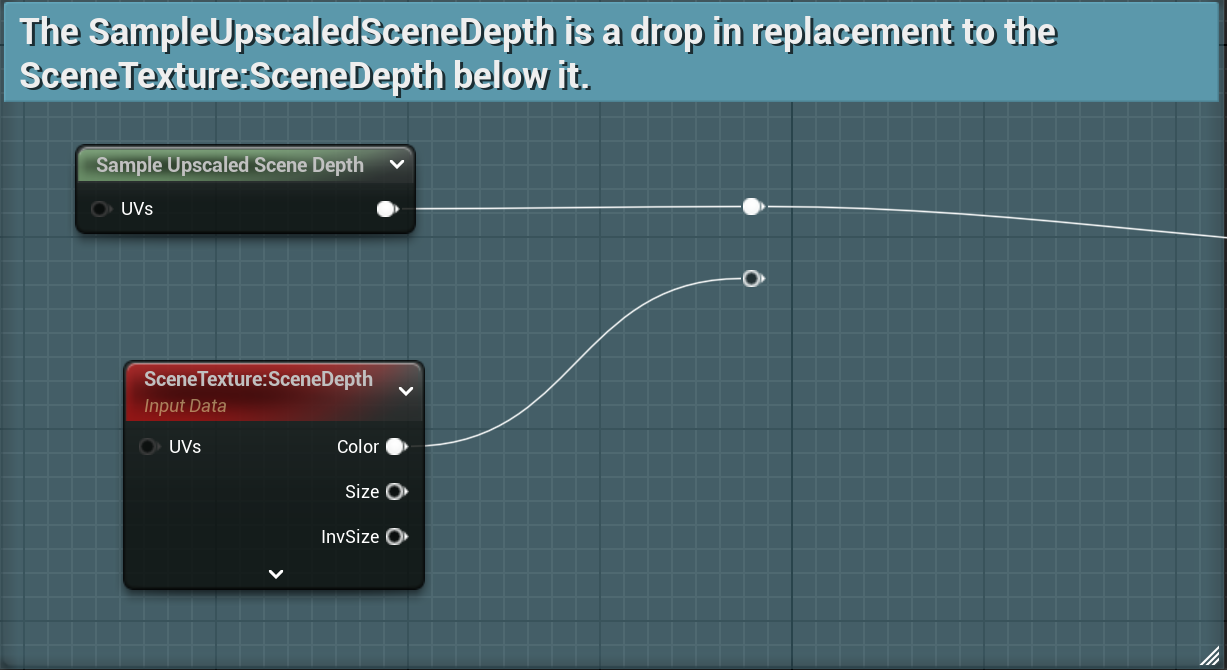
The Sample Upscaled Scene Depth node works exactly like the SceneTextures:SceneDepth node found in stock UE5. It will sample the current screen position if not UVs are supplied or you can customize the UVs that you want to sample from.
The goal of this node, and the underlying accumulated SceneDepth is to approximate what TSR does for the SceneColor that you see, where it will use a few frames of history to reproduce a higher resolution version of the rendered image, than is actually rendered by the base pass. This also solves the jitter that you can see with more aggressive TSR upscales in effects that use the SceneDepth in later stage post process materials.
For more information on the SceneTexture Node can be found here!
Custom Depth
Upscaled Custom Depth
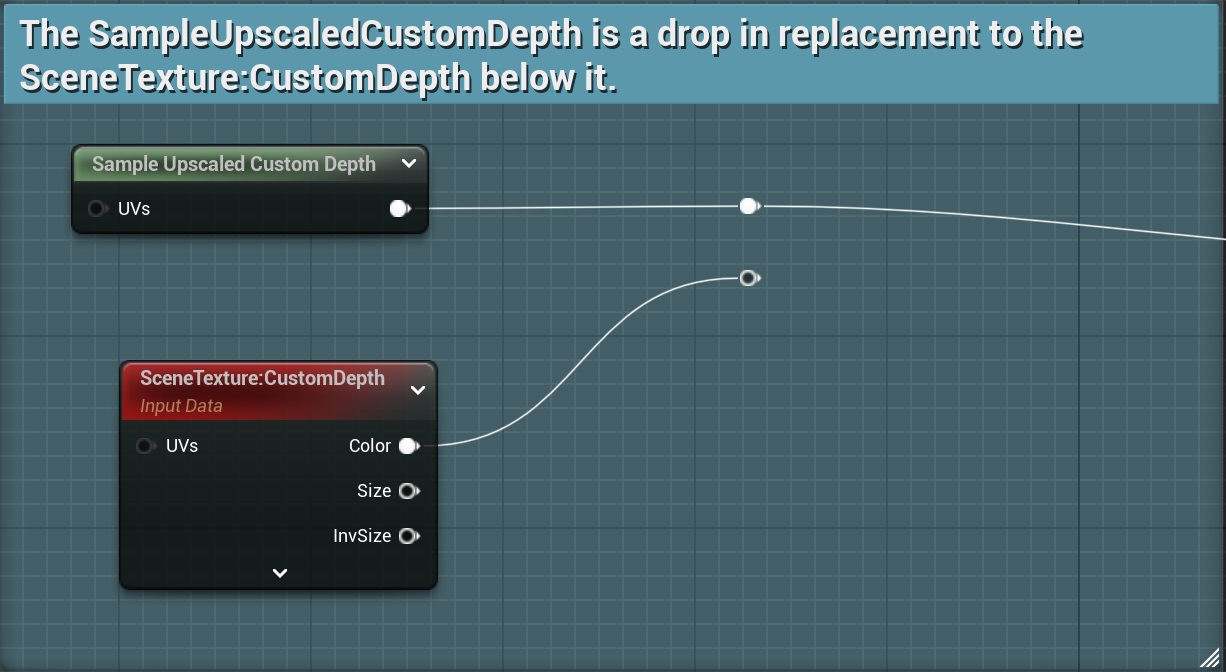
The Sample Upscaled Custom Depth node works exactly like the SceneTextures:CustomDepth node found in stock UE5. It will sample the current screen position if not UVs are supplied or you can customize the UVs that you want to sample from.
The goal of this node, and the underlying accumulated CustomDepth is to approximate what TSR does for the SceneColor that you see, where it will use a few frames of history to reproduce a higher resolution version of the rendered image, than is actually rendered by the base pass. This also solves the jitter that you can see with more aggressive TSR upscales in effects that use the CustomDepth in later stage post process materials.
For more information on the SceneTexture Node can be found here!
Custom Stencil
Upscaled Custom Stencil
The Sample Upscaled Custom Stencil node works exactly like the SceneTextures:CustomStencil node found in stock UE5. It will sample the current screen position if not UVs are supplied or you can customize the UVs that you want to sample from.
The goal of this node, and the underlying accumulated CustomStencil is to approximate what TSR does for the SceneColor that you see, where it will use a few frames of history to reproduce a higher resolution version of the rendered image, than is actually rendered by the base pass. This also solves the jitter that you can see with more aggressive TSR upscales in effects that use the CustomStencil in later stage post process materials.
For more information on the SceneTexture Node can be found here!
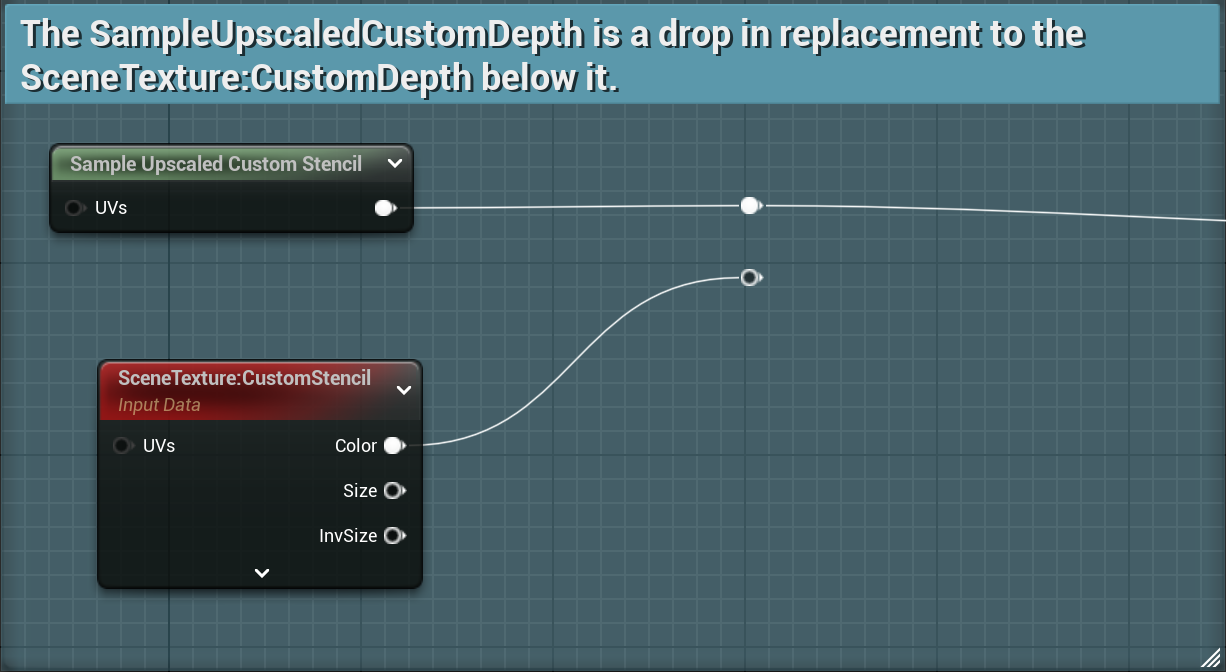
Stencil Distance
Stencil Distance
The stencil distance generation is designed to give access to a SDF (Signed Distance Field), a Direction to Closest Point, or the Closest Point in screen space of a CustomStencil bit. This allows for things like soft masking, edge aware effects, and outlines to name a few. Advanced effects can be created by combining SDFs from multiple stencil bits for different objects.
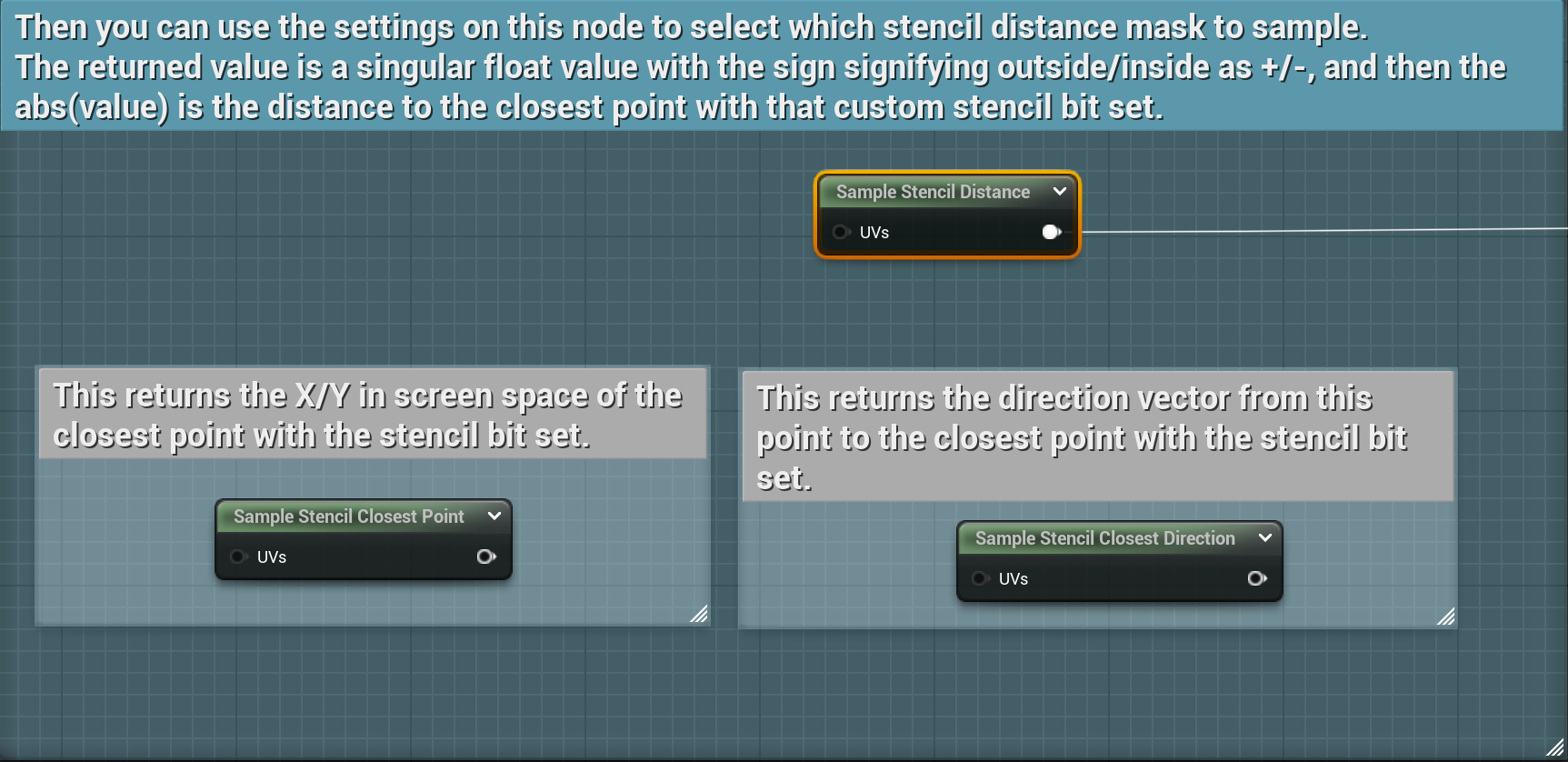
This system provides 3 nodes for each of the generated stencil distance masks. You can enable any of the 8 mask generations in config.
The supported nodes are:
- Sample Stencil Distance: Gives a Signed Distance value where positive values are off the bitmask or outside the shape and negative values are on the mask or indside the shape. Then the distance to the closest edge can be calculated by the absolute value of the SDF.
- Sample Stencil Closest Point: Gives the closest point on the edge of the custom stencil bit mask for the selected bit.
- Sample Stencil Closest Direction: Gives the direction in screen space to the closest point on the edge of the custom stencil mask for the selected bit.
For all of the above nodes, you can select the bit you want to sample in the node settings:
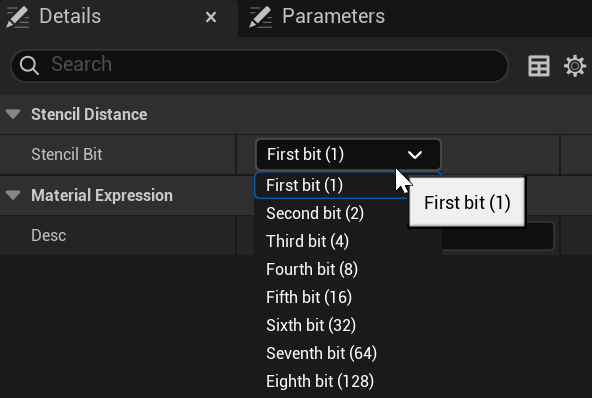
You must make sure that the masks you intend to sample are enabled in the StencilWorks project configuration.